Fit an Instagram feed post without cropping
Fit the whole photo in an Instagram feed post at 1080 × 1080 or 1080 × 1350 with white, black or blurred bars.
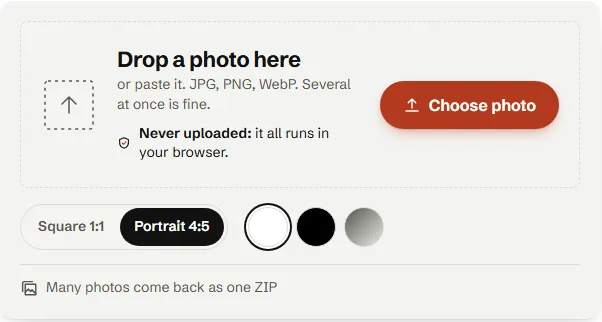
Drop a photo here
or paste it. JPG, PNG, WebP. Several at once is fine.
Never uploaded: it all runs in your browser.
Freeno account, no watermark
Privatefiles stay on your device
3000 pxlargest preset export
Batchmany photos, one ZIP
How to resize a photo for Instagram without cropping
To resize a photo for Instagram without cropping, add it, pick 4:5 or 1:1, choose bars and download. The whole photo becomes a 1080 px wide Instagram feed post.

The editor redraws the post on every click. For a plain square for other sites, use the tool that can make any image square online.
Choose the photo
Drop it on the box or press Choose photo. Up to 30 photos can go in together for a carousel post.
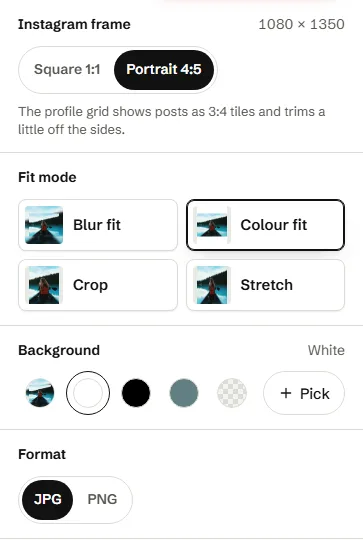
Pick the frame and the bars
Portrait 4:5 is selected. Switch to Square 1:1 if you prefer, then pick white, black, a blurred copy of the photo or any colour for the bars.
Press Download photo
The post is saved at 1080 px wide with -instagram added to its name, for example phone-4x3-instagram.jpg.
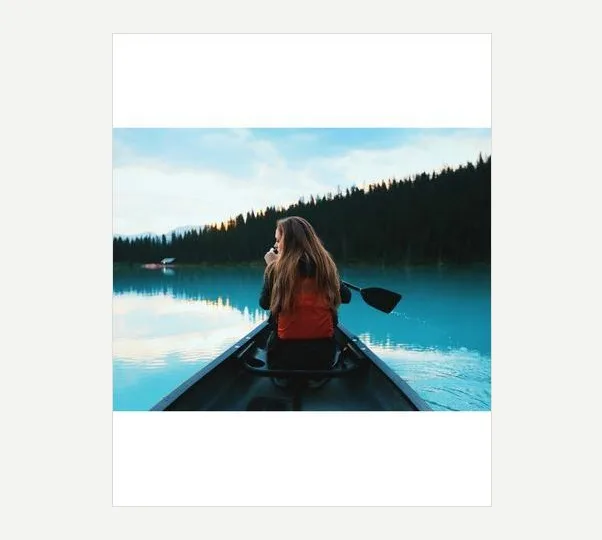
Why does Instagram always crop my photos?
Instagram crops a photo when its aspect ratio falls outside the feed range. The Instagram Help Center gives that range as 1.91:1 at the widest and 3:4 at the tallest.
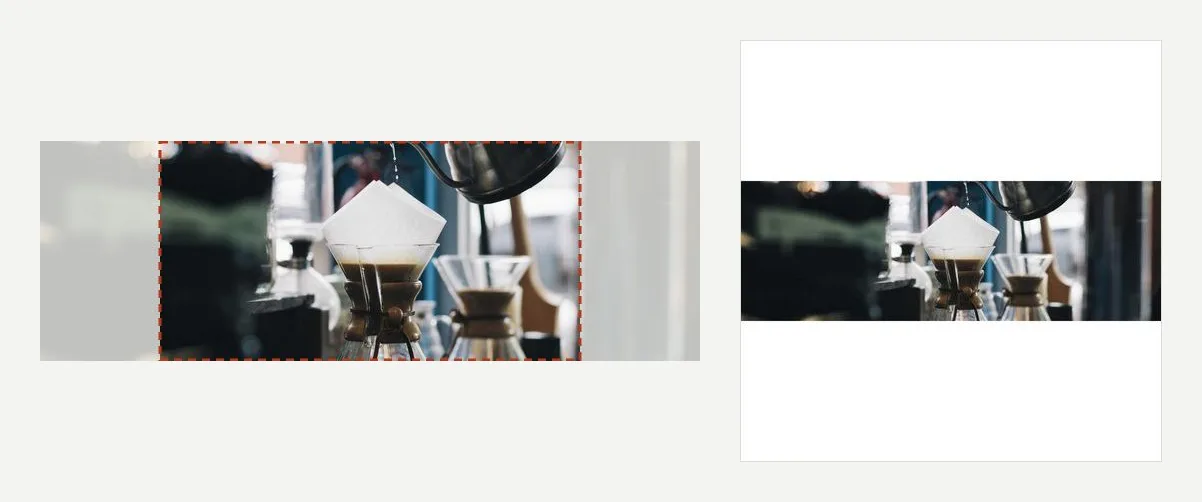
Aspect ratio is the width of a photo compared with its height. A 3000 × 1000 panorama is 3:1, wider than 1.91:1, so Instagram trims its sides until it fits.
Instagram also changes the size. The Help Center says a photo wider than 1080 pixels is sized down, and one narrower than 320 pixels is enlarged.
Which Instagram aspect ratio shows the full photo
Any aspect ratio from 1.91:1 to 3:4 shows the full photo in the feed. The Instagram Help Center puts that at 566 to 1440 pixels tall, at 1080 wide.
What the Instagram Help Center says, read on 24 November 2026
If the aspect ratio of your photo isn't supported, it will be cropped to fit a supported ratio.
Supported means between 1.91:1 and 3:4, up to 1080 pixels wide.
Image resolution of photos you share on InstagramThe orientation you choose (square, portrait or landscape) affects all of the photos or videos in your post.
A carousel takes up to 20 photos and videos.
Share a post with multiple photos or videosThe supported file formats are jpg, png and heic/heif.
Post a photo on Instagram
Meta Platforms, which owns Instagram, publishes the Instagram Help Center. These pages do not say what shape profile grid tiles are, or how hard uploads are compressed.
Square 1:1 or portrait 4:5: which frame to pick
Pick Portrait 4:5 for tall photos and for a tidy profile grid. Pick Square 1:1 for wide photos when the feed matters more to you than the grid.
A landscape photo gets the same pixels in both frames. A 4032 × 3024 phone photo becomes 1080 × 810 either way; 4:5 only adds bar.
A portrait photo gains in 4:5. A 3024 × 4032 portrait is 810 × 1080 in a square post and 1012 × 1350 in 4:5: 56% more pixels.
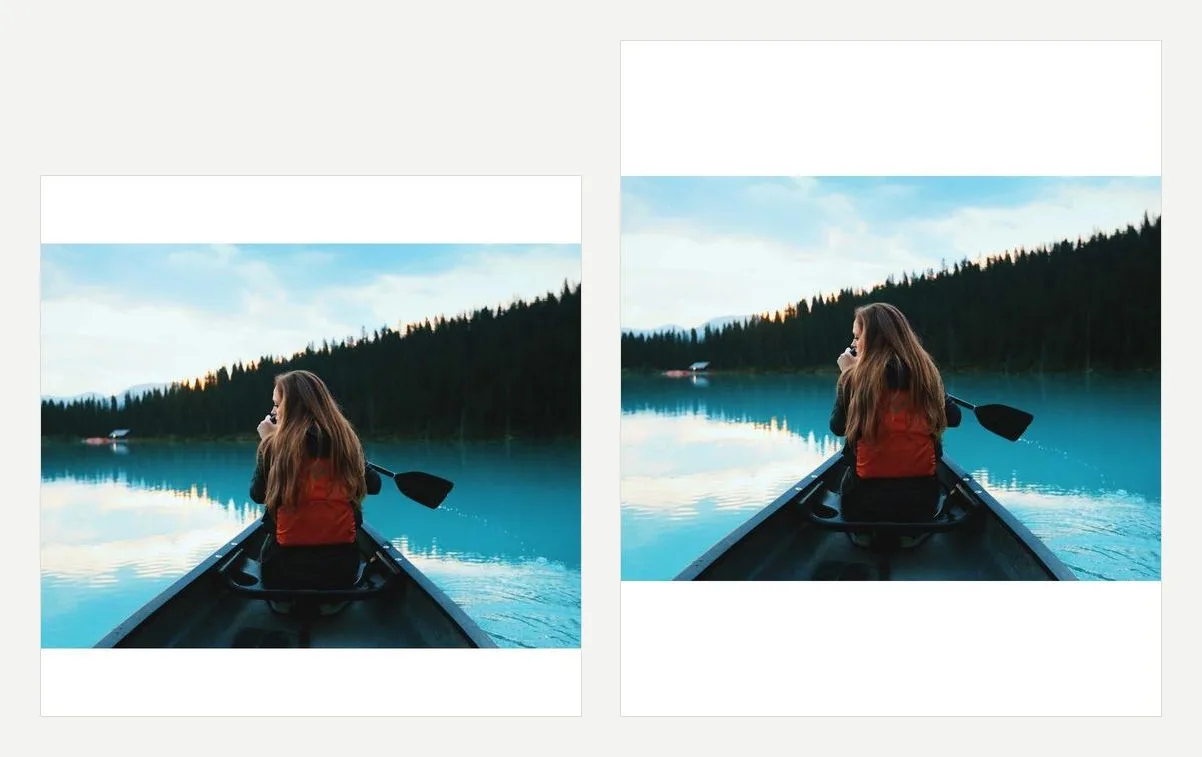
What size to resize photos for Instagram
Resize photos for Instagram to 1080 × 1080 for a square post or 1080 × 1350 for 4:5. The Help Center names 1080 px as the widest width Instagram keeps.
Should you use 4:5 or 3:4 on Instagram?
Use 3:4 when the photo is already 3:4, and 4:5 when the photo needs bars. The Instagram Help Center lists 3:4, or 1080 × 1440, as the tallest feed shape.
A 3:4 phone portrait posts whole with no bars. This page stops at 4:5, so for a 3:4 canvas, pad photos to other ratios.
How your post looks in the feed and the profile grid
In the feed, a fitted post shows whole, bars included. The editor's profile grid preview shows each post as a 3:4 tile, which trims both sides.
A 1080 × 1350 post loses 34 px from each side in that tile. A 1080 × 1080 post loses 135 px from each side, a quarter of its width.
That is why 4:5 keeps a landscape photo more complete on the profile grid, even though both frames hold the same photo pixels.
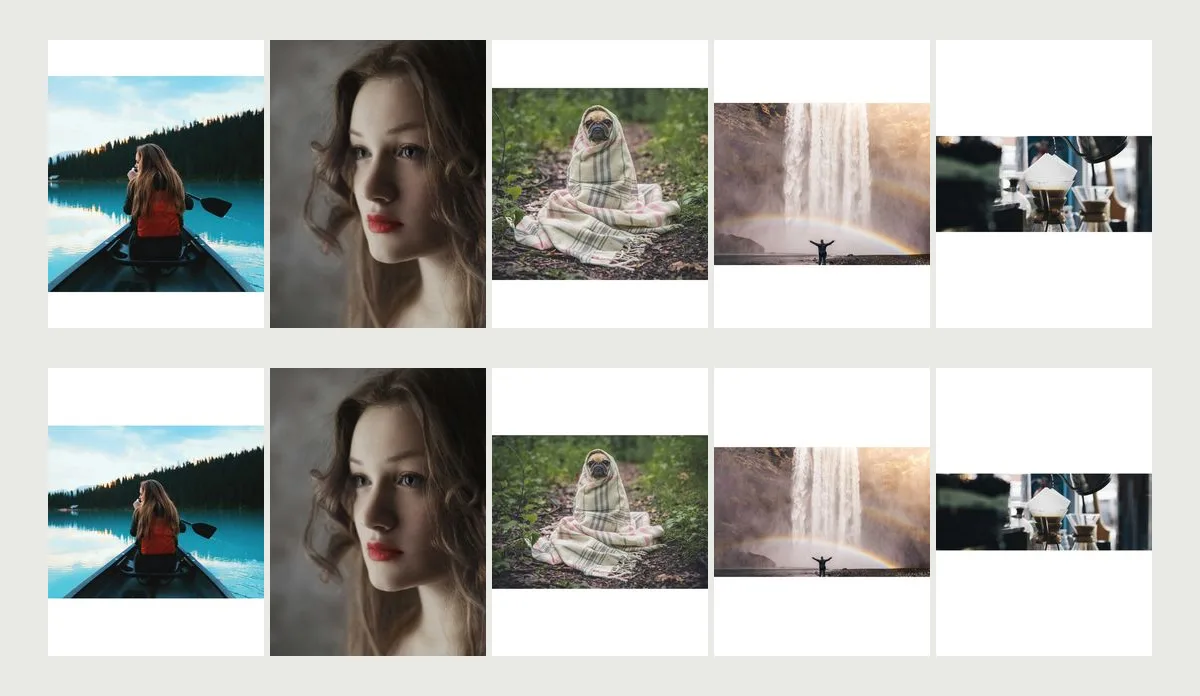
The Help Center pages we read do not state the tile shape, and we have not posted these files to a real account yet. Check one post first.
For more, see how square posts look in the grid.
White, colour or blurred bars: how much photo you keep
Every bar style keeps 100% of the photo; the style only changes what fills the rest. The photo's shape decides how much of the post it covers.
Bars above and below a wide photo are letterboxing (padding bars), like black bands around a film on TV. Bars beside a tall photo are a pillarbox.
White suits products and text, and black suits night shots. To fill the bars with blur, pick the blurred swatch, or add a white border instead for an even frame.
The blurred fill is not a true Gaussian blur. The editor shrinks a copy of the photo and stretches it back, which looks similar.
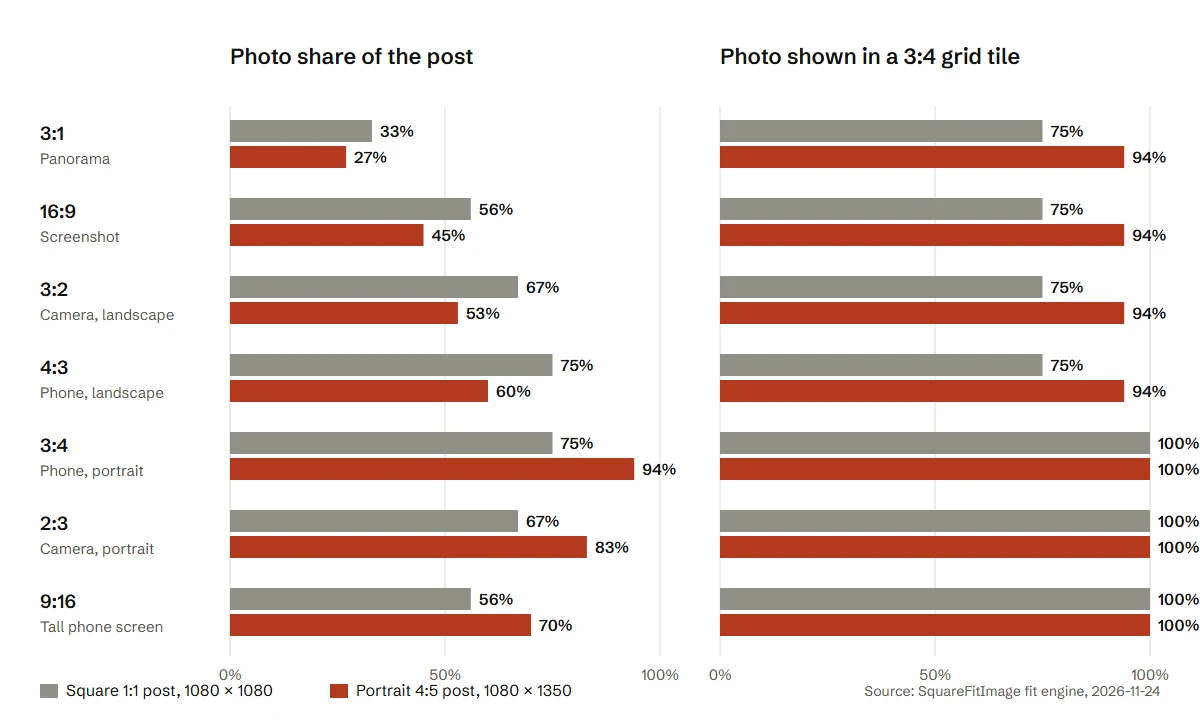
| Photo | Kept with no tool | 1:1 post, 1080 × 1080 | 4:5 post, 1080 × 1350 | Shown in grid, 1:1 / 4:5 |
|---|---|---|---|---|
| 3:1 panorama | 64% | 1080 × 360, 360 px bars | 1080 × 360, 495 px bars | 75% / 94% |
| 16:9 screenshot | 100% | 1080 × 608, 236 px bars | 1080 × 608, 371 px bars | 75% / 94% |
| 3:2 camera, landscape | 100% | 1080 × 720, 180 px bars | 1080 × 720, 315 px bars | 75% / 94% |
| 4:3 phone, landscape | 100% | 1080 × 810, 135 px bars | 1080 × 810, 270 px bars | 75% / 94% |
| 3:4 phone, portrait | 100% | 810 × 1080, 135 px bars | 1012 × 1350, 34 px bars | 100% / 100% |
| 2:3 camera, portrait | 89% | 720 × 1080, 180 px bars | 900 × 1350, 90 px bars | 100% / 100% |
| 9:16 tall phone screen | 75% | 608 × 1080, 236 px bars | 759 × 1350, 161 px bars | 100% / 100% |
Kept with no tool: the share left after Instagram crops the photo to its widest (1.91:1) or tallest (3:4) supported shape. Fitted posts keep 100%.
How borders affect the size of the photo inside the frame
Borders shrink the photo by one scale factor. The photo is resized until its long side touches the frame, and the bars take the space that is left.
scale = min(1080 ÷ width, frame height ÷ height); bar above and below = (frame height − photo height) ÷ 2
A 4032 × 3024 photo in a 1080 × 1080 frame scales by 1080 ÷ 4032 = 0.268. It becomes 1080 × 810, with 135 px bars.
In a 1080 × 1350 frame the scale stays the same, so the photo is still 1080 × 810 and each bar grows to 270 px.
When Instagram's own framing is enough
Instagram's own composer is enough for any photo between 1.91:1 and 3:4. That covers 16:9 screenshots and most 3:2, 4:3 and 3:4 camera and phone photos.
Select the photo's own size when the composer asks, then move the photo to adjust how it fits, as the Instagram Help Center describes. No bars, and no extra save.
A tool earns its place in 3 cases: photos outside the range, such as panoramas and 9:16 portraits, carousels that mix shapes, and a matching grid.
Is there a way for Instagram to not crop photos?
Yes, Instagram does not crop a photo whose ratio is between 1.91:1 and 3:4. Outside that range, pad the photo to 1:1 or 4:5 before posting.
Fit every slide of a carousel to one frame
A carousel post uses one frame for every slide. The Instagram Help Center says the orientation you choose affects all photos, with no per-photo choice.
So if you pick square, a tall photo later in the set is cropped to a square too. One post holds up to 20 photos and videos.
Post a full photo in an Instagram carousel without cropping
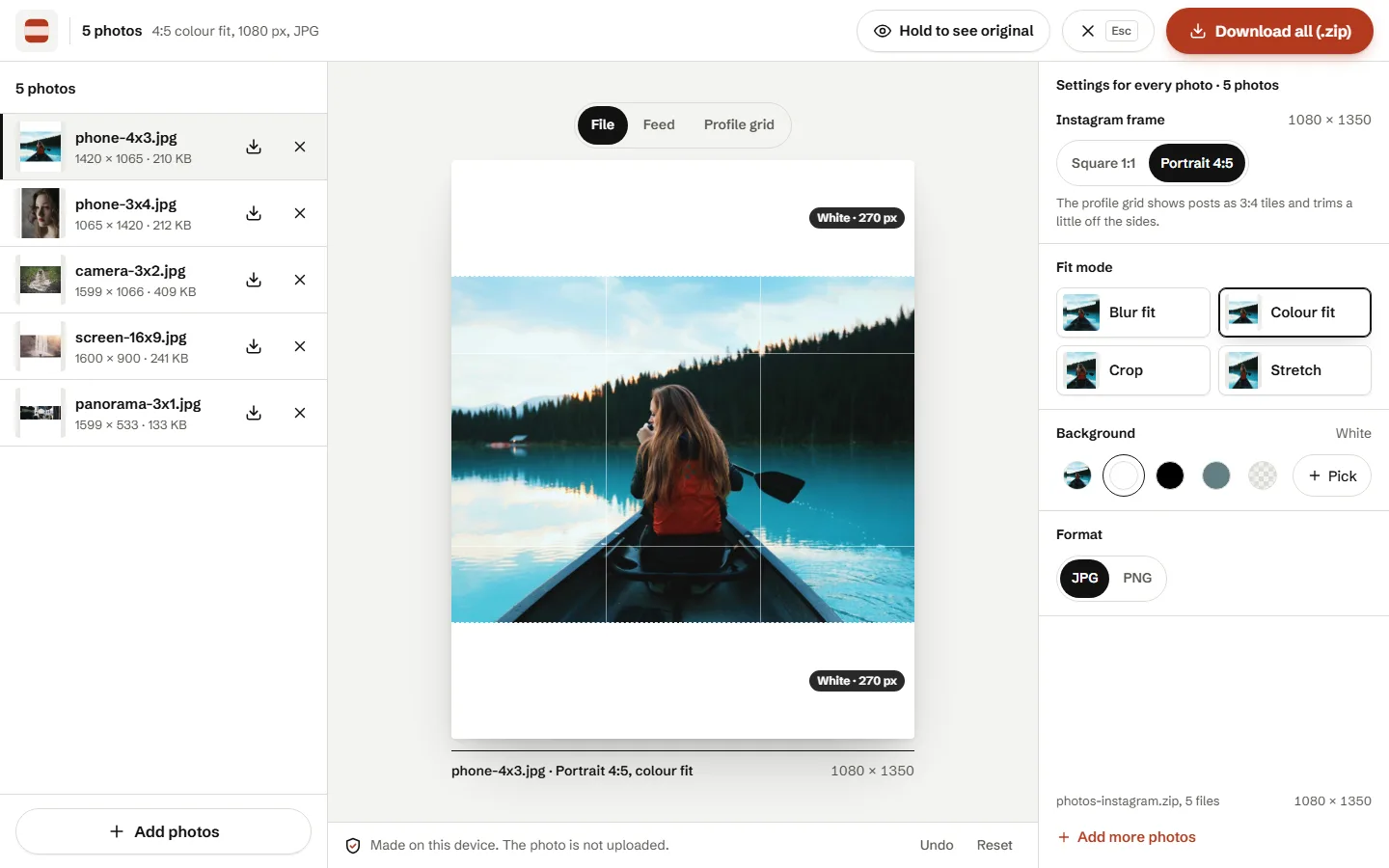
To post a full photo in an Instagram carousel without cropping, pad every slide to one frame first. Drop all the photos in together and pick 4:5 once.
The batch takes up to 30 photos. Download all saves one ZIP with every slide at the same size; unzip it and select the slides in the Instagram composer.
Get different sized pictures to fit one Instagram carousel
Different sized pictures fit one Instagram carousel once they share a frame. In our test, 5 photos from 3:1 to 3:4 all came out at 1080 × 1350.
| Test photo | Size | 1:1, white | 4:5, white | 4:5, blur |
|---|---|---|---|---|
| Phone, landscape 4:3 | 1420 × 1065 | 146 KB, 135 px | 148 KB, 270 px | 167 KB, 270 px |
| Phone, portrait 3:4 | 1065 × 1420 | 143 KB, 135 px each side | 196 KB, 34 px each side | 193 KB, 34 px each side |
| Camera, landscape 3:2 | 1599 × 1066 | 233 KB, 180 px | 237 KB, 315 px | 259 KB, 315 px |
| Screenshot 16:9 | 1600 × 900 | 139 KB, 236 px | 142 KB, 371 px | 165 KB, 371 px |
| Panorama 3:1 | 1599 × 533 | 78 KB, 360 px | 84 KB, 495 px | 119 KB, 495 px |
The test photos are Unsplash photos cropped to each shape. White bars measured in the saved files were within 10 px of the editor's figure.
Keep the photo sharp after Instagram compresses it
To keep a photo sharp on Instagram, give it a file it has no reason to resize: 1080 px wide, in a supported shape. This page saves exactly that.
Save once, from the original. Each new JPEG save drops a little more detail, so fit the camera file, not a screenshot or an earlier export of it.
Keep colours in sRGB, the standard colour space of the web. The files saved in our test read as sRGB, so phones and browsers show the colours the same way.
The Help Center pages we read give no file size or JPEG quality for uploads, so we quote none. What Instagram delivers is not measured yet.
Resize an image without losing quality
To resize an image without losing quality, save it as PNG: PNG adds no compression loss, so only the resize itself changes pixels. Switch Format to PNG in the editor.
JPEG files are smaller. The tool saves JPEG at quality 92, where loss is hard to see; our white-bar posts weighed between 78 KB and 237 KB.
SquareFitImage, No Crop apps and Canva compared
The same photos went through each tool that works in a desktop browser without an account, on 24 November 2026. Phone apps and Canva were not tested.
| Feature | SquareFitImage | simpliconvert.com | Canva | Whitagram and No Crop apps |
|---|---|---|---|---|
| 4:3 phone photo into 1080 × 1350 | Whole photo, 1080 × 810, 270 px bars | Centre crop, keeps 60% (852 × 1065 of 1420 × 1065) | Not checked | Not checked |
| 3:1 panorama into 1080 × 1080 | Whole photo, 1080 × 360, 360 px bars | Centre crop, keeps 33% (533 × 533 of 1599 × 533), enlarged about 2 times | Not checked | Not checked |
| File size of the 4:5 post | 148 KB | 163 KB | Not checked | Not checked |
| What fills the frame | White, black, blurred photo, a colour from the photo, any colour, or transparent PNG | The photo itself, cropped | Not checked | Not checked |
| Several photos at once | Up to 30, one ZIP | One file at a time | Not checked | Not checked |
| Photo sent to a server | No request carried the photo | No request large enough to carry it; ad and consent requests were sent | Not checked | Not checked |
| Account needed | No | No | Not checked | Not checked |
Where they do better: simpliconvert.com has 9 size presets across 5 platforms, including Stories and YouTube. If losing the edges is fine, its crop fills the whole frame with picture.
The Whitagram and No Crop apps run on the phone that holds your photos; we did not test them. We did not sign in to Canva.
SquareFitImage uses in-browser processing (no upload). Our network log of opening and saving a photo shows only GET requests for the editor's own code.
Instagram no-crop questions
For feed photos, 4:5 fits and 9:16 gets cropped. The Instagram Help Center lists 1.91:1 to 3:4 as the supported range, and 9:16 is taller than 3:4.
Stories and Reels are a different format, and this page does not make them.
A photo can look blurry after Instagram uploads it when Instagram has to resize it. Photos wider than 1080 px are sized down, says the Help Center.
Save the post at exactly 1080 px wide, once, from the original file. Every extra save as JPEG loses a little more detail.
Yes, there are Instagram no crop apps, and a website does the same job without an install. This page is tested in Chrome on Windows so far.
We have not tested the Whitagram and No Crop apps ourselves, so this page makes no claim about their output.
To get the whole picture to fit in Instagram, add bars until the photo matches 1:1 or 4:5. Then Instagram has nothing to trim.
A photo between 1.91:1 and 3:4 already fits. Pick its own shape when the Instagram composer asks you to select the size.
No, the photo never leaves your phone or computer. The post is drawn in your browser and saved straight to your downloads, with no account.